
Loop Anomalies & PopUp.exe
When the loop glitches—interrupt fast or eat the Blue Screen.
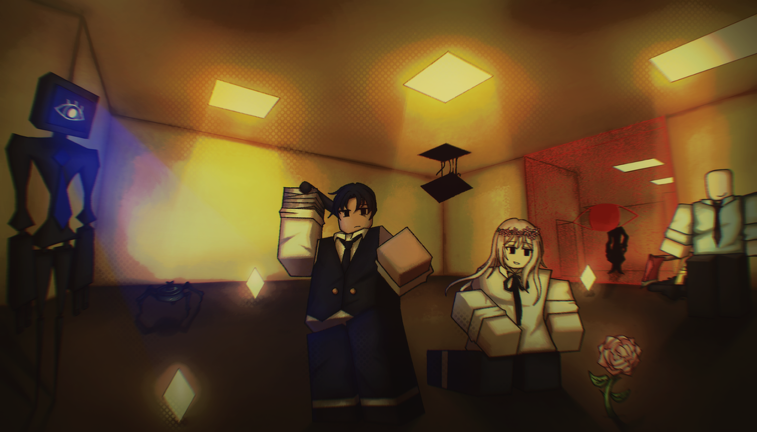
Anomalies are Loop [ALPHA]’s systems-layer hazards: problems that feel less like a monster in the hall and more like the day itself breaking. You can play a clean route against Smilers, MineSpider, and Standing Man and still lose because an anomaly stole your attention at the wrong second. The clearest Alpha example is PopUp.exe—fail to stop it and you can be pushed toward a Blue Screen failure, memorialized by the badge OOOOH MY PC.
This page explains how to think about anomalies as interrupt checks, what PopUp.exe teaches, how to order priorities in solo and co-op, and how anomaly failures cascade into entity deaths. Loop has been in Alpha since 21 August 2026 (Gazing at the Moon, place 97694772546348). Expect new anomaly types; the interrupt mindset should transfer.
Confirmed facts
- Anomalies exist as a general hazard class beyond ordinary roaming entities.
- PopUp.exe is a standout anomaly.
- Failing to stop PopUp.exe can lead to a Blue Screen outcome.
- OOOOH MY PC marks that failure path.
- Core loop tools still matter: flashlights, coins, upgrades/items, EXIT, Days 5 / 10 / 25 / 50.
Mental model: interrupt, do not multitask
Chase entities ask for movement. Explosive entities ask for spacing. Idle killers ask for pathing. Anomalies ask for immediate focus.
When PopUp.exe (or a similar glitch event) appears:
- Stop the optional task — Mid-coin greed and sightseeing are how Blue Screens happen.
- Resolve the anomaly — Treat it like a hard interrupt in a raid: the cast comes first.
- Re-enter the world deliberately — After you clear it, re-check Smiler pressure, MineSpider lanes, and Standing Man angles before you sprint.
- Call it in co-op — Up to 30 players can talk over each other; one clear “Pop-up—handling” beats five people ignoring it.
PopUp.exe and Blue Screen
PopUp.exe is the teachable anomaly because the failure state is memorable. Blue Screen is not “flavor text”—it is the punishment for ignoring the interrupt. OOOOH MY PC exists so the lesson sticks.
Practical habits:
- Hands ready — If you are in a menu or shop flow when pop-ups are possible, know how you will cancel greed and answer the anomaly.
- Do not AFK the prompt — Humor is fine after the run; during the run, click / resolve / survive.
- Watch teammates — In co-op, one player might see the anomaly while another is deep in a chase. Share the interrupt; do not assume “someone else will get it.”
- Log the failure — If you earn OOOOH MY PC, note what you were doing. Most Blue Screens are attention failures, not mechanical impossibility.
Priority order when everything happens at once
Alpha days love stacking problems. Use this default stack and adjust only with good reason:
- Anomaly interrupt (PopUp.exe) — Blue Screen can erase the whole attempt.
- MineSpider blast geometry — Explosions wipe clumps instantly; see MineSpider.
- Active Smiler chase — Stun when you can; guide: how to stun Smilers.
- Standing Man pathing — Never “solve” a pop-up by stepping into an idle kill zone; see Standing Man.
- Coin / shop greed — Economy matters, but not more than staying alive to spend. Priority list: items and upgrades.
Compare relative danger on the entity danger tier list—anomalies often rank high specifically because they steal the focus those other threats require.
Solo vs co-op
Solo: You are the only interrupt. Bind your attention. If a pop-up appears during a chase, break line of sight safely, resolve, then re-engage. Dying to a Smiler because you stared at a UI failure is still a death—but Blue Screen from ignoring PopUp.exe is the more avoidable one.
Co-op: Nominate an anomaly caller on deeper Days (10 / 25 / 50). The caller’s job is not to solo-hero every glitch; it is to make sure someone answers within the window. Rotate the role if one player is also your primary Smiler stunner.
Soft anomalies and future-proofing
“Anomalies” as a class may grow beyond PopUp.exe. When something feels like the loop is glitching—wrong audio, hostile UI, space behaving illegally—default to the same playbook: interrupt first, move second, loot third. Update watches belong on Updates; roster links stay on the Entities Hub.
Common mistakes
- Laughing at PopUp.exe until Blue Screen lands.
- Letting four players assume someone else will handle the interrupt.
- Resolving the anomaly while standing in MineSpider or Standing Man danger.
- Returning to coin routes without re-scanning for Smilers.
- Skipping anomaly literacy in onboarding—fix new players via Getting Started and this page together.
Related pages
- Entities Hub · Smilers · MineSpider · Standing Man
- Entity tiers · Tier List Hub · Items & upgrades
- Guides Hub · Getting Started · How to stun Smilers
- Codes · Updates
When the liminal loop starts acting like a broken desktop, you are not in a cutscene—you are in a skill check. Stop PopUp.exe, avoid OOOOH MY PC, and only then go back to hunting EXIT.
Frequently Asked Questions
Quick answers to the most common questions.
What is PopUp.exe in Loop Alpha?
PopUp.exe is a confirmed anomaly. If you fail to stop it, you can hit a Blue Screen failure path marked by the OOOOH MY PC badge.
What should I do when an anomaly appears?
Treat it as a hard interrupt: stop optional looting, resolve the anomaly, then re-check entities before you sprint back into the route.
Are anomalies more dangerous than Smilers?
They are dangerous in a different way—they steal focus. A missed PopUp.exe can Blue Screen the run even if you are good at stuns. See the entity tier list for how we rank them in Alpha.
How should co-op lobbies handle anomalies?
Assign a caller on deeper days so someone always answers the interrupt. Do not assume another player saw the pop-up.